


Begin with crypto
Your personal Web3 wallet for everyday use
OwlPay Wallet Pro is a smarter way to get started with crypto. Securely convert money, send funds globally, and manage your digital assets with ease.



Access the wallet and get instant updates directly in the browser with our Chrome Extension.

We partner with



Supported networks
Currently supporting seven leading blockchains with more coming soon.


Easy On/Off Ramp
Move between local currency and crypto your way. Choose from debit cards, credit cards, bank transfers, or cash-in/out at participating MoneyGram locations.
Send globally to your local bank accounts in 20+ countries
Receive funds internationally in your local bank in 10+ currencies — letting you choose between multiple routes whether you prefer saving on fees or getting funds fast.
Learn more


Simple steps to get started
Take the first step into crypto easily with a Web3 wallet.
 Step 1
Create your account
Sign up and verify your identity. Once approved, your wallet will be ready to use.
 Step 2
Deposit funds
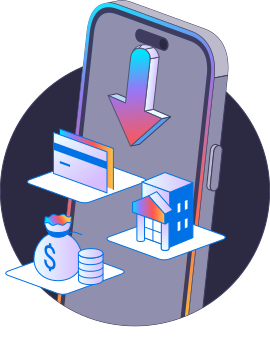
Choose the method that works for you. Add money by debit/credit card, bank transfer, or cash.
 Step 3
Start a transfer
Select the asset you want to send, enter the recipient's address, and start the transaction.
OwlPay Wallet Pro helps you stay in control of your money

Manage without a bank account
Send and receive crypto without traditional banking.

Protect against inflation
Move your funds into crypto like USDC to avoid fiat fluctuations.

Exchange between fiat and crypto
Easily convert and withdraw to local currency.

Transfer globally with ease
Enjoy cross-border crypto transactions and send internationally to your local bank accounts.

Bridge across blockchains
Move USDC across networks in OwlPay Wallet Pro.

Shop smarter with gift cards
Redeem USDC for gift cards and enjoy everyday essentials like coffee, meals, and rides.
Bridge assets across blockchains
With OwlPay Wallet Pro, you can bridge digital assets between different blockchain networks. Multiple networks are already supported, with more on the way.

How to bridge?
Once you’ve completed KYC, you can use the Bridge feature in OwlPay Wallet Pro to move USDC between supported blockchain networks.
- Select Bridge
- Choose your source and destination networks
- Enter the amount
- Review and tap Confirm


Download OwlPay Wallet Pro
Manage your crypto globally with OwlPay Wallet Pro. Choose any way to add money with debit/credit cards, bank transfers or cash. Start your Web3 journey today.
Multiple ways to deposit and withdraw funds
Manage assets across multiple networks
Bridge USDC across supported networks
Convert USDC into gift cards for everyday spending

Have more questions about Wallet Pro (Individual) ?
What is OwlPay Wallet Pro (Individual) ?
OwlPay Wallet Pro is a user-friendly Web3 wallet that helps you get started with crypto. Its simple interface and secure setup make entering the world of digital assets easy and safe.
What can I do with OwlPay Wallet Pro?
What crypto does OwlPay Wallet Pro support?
What cash-in and cash-out methods are supported?
How do I verify my identity with OwlPay Wallet Pro?
Is OwlPay Wallet Pro custodial or non-custodial?
Can I use OwlPay Wallet Pro without a bank account?
Can I use my USDC for shopping? How does that work?