








New Feature Release: Send Money Faster with “My Contacts” on OwlPay Wallet Pro

Managing frequent transfers just got easier!
We’re excited to announce a new feature on OwlPay Wallet Pro: My Contacts (Recent Contacts) — designed to help you save time, reduce typing, and streamline your entire transfer experience.
Whether you're sending stablecoins across borders or making quick peer-to-peer payments, you can now access recent recipients and favorite contacts in just a few taps.
Feature Highlights
Here’s what you can do with the new My Contacts update:
- Add frequent recipients to “My Contacts”
Build your own list of trusted recipients for repeated use. - View your Recent Contacts
Automatically keep track of addresses you've interacted with recently. - One-tap selection during transfer
When starting a new transaction, tap “Select from Recent|My Contacts >>” to choose a recipient instead of typing. - No more retyping
Whether it’s a business vendor or a friend abroad, just select and send.
How to Add and Use “My Contacts” on OwlPay Wallet Pro
Save Contacts for Faster Transfers
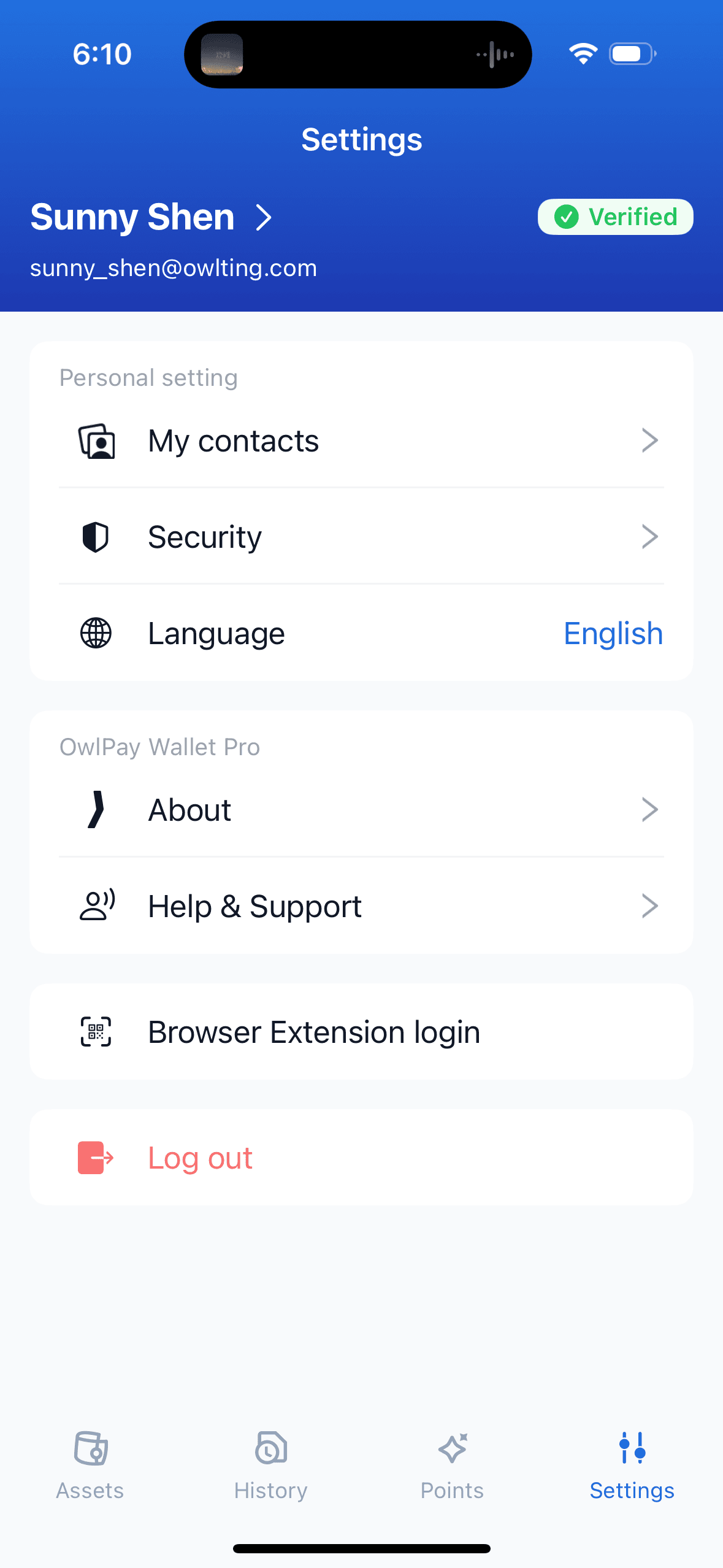
Step 1: Go to Settings
Tap the "Settings" icon in the bottom menu, then select "My contacts" under Personal setting.
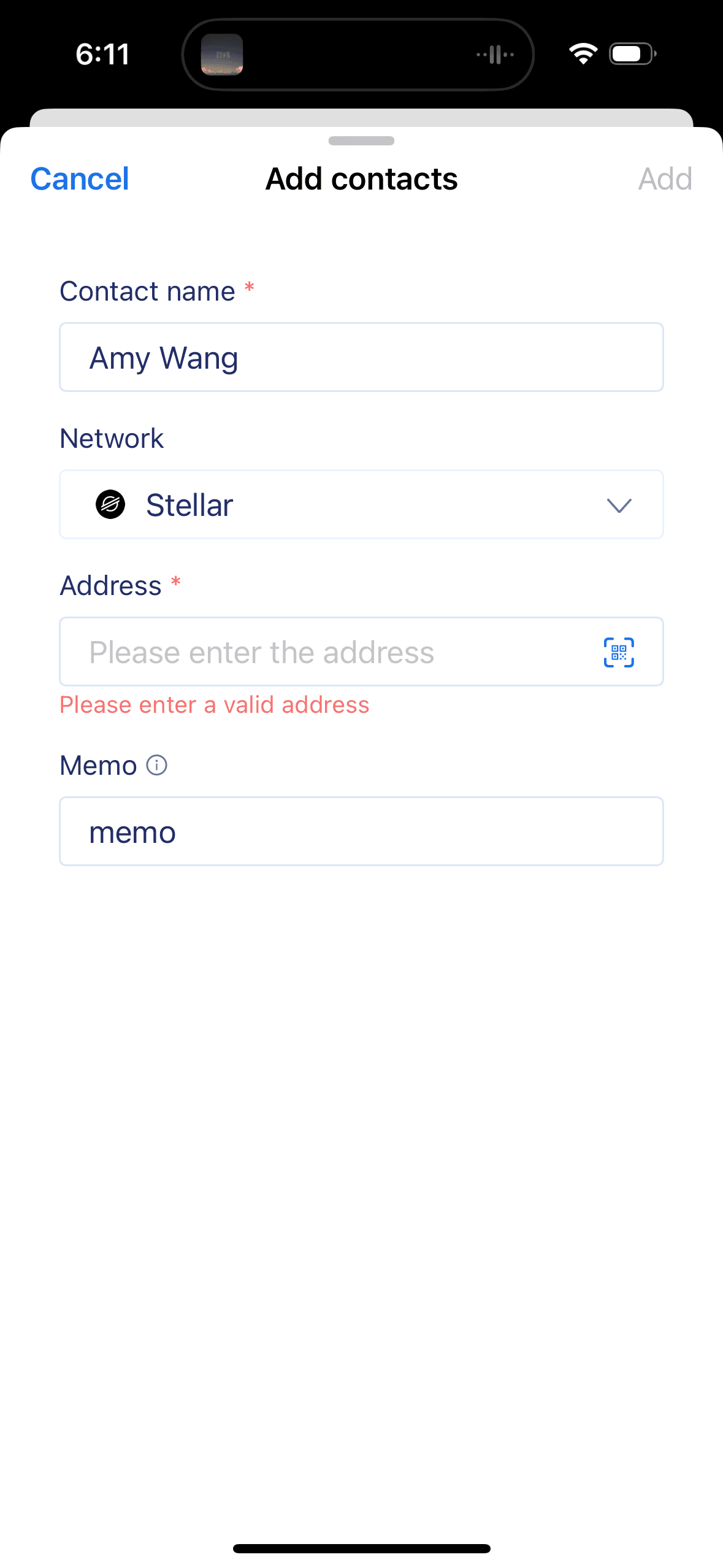
Step 2: Add a New Contact
Tap Add and fill in the following information:
- Contact name (e.g. Amy Wang)
- Network (choose from the supported blockchain options)
- Wallet address
- Memo (optional, depending on the network)
- Click “Add” to save the contact.
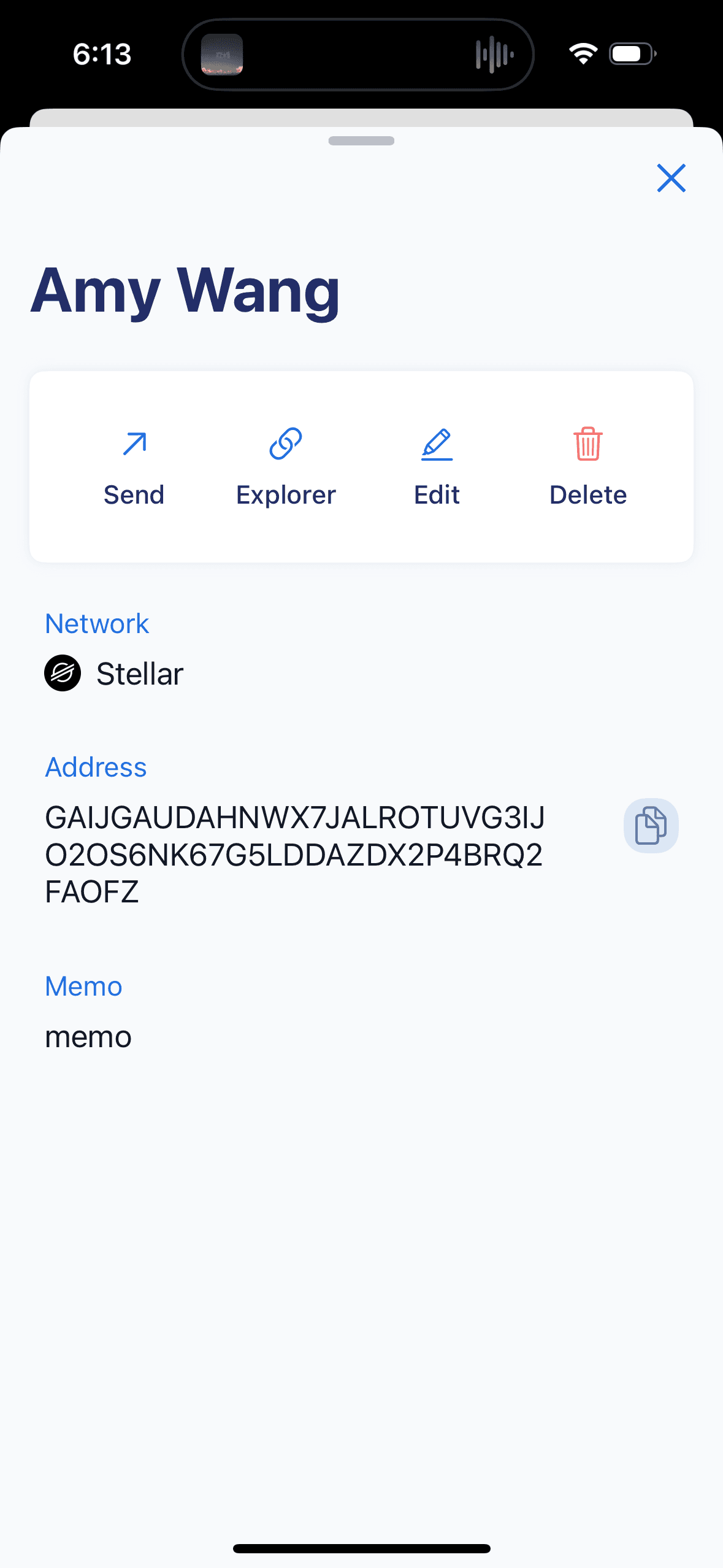
Step 3: View or Edit Your Contact
Click any saved contact to view details, Send, Edit, or Delete. You can initiate a transfer directly from this screen.
📌 Start Using It Today
The “My Contacts” feature is now live on OwlPay Wallet Pro.
If you haven’t updated your app yet, now’s the perfect time.
🔗 Download or Update OwlPay Wallet Pro
Make every transfer faster, easier, and more secure — just the way it should be.