








How to Buy and Sell USDC with a Debit Card: Part 1 - The On-Ramp Guide
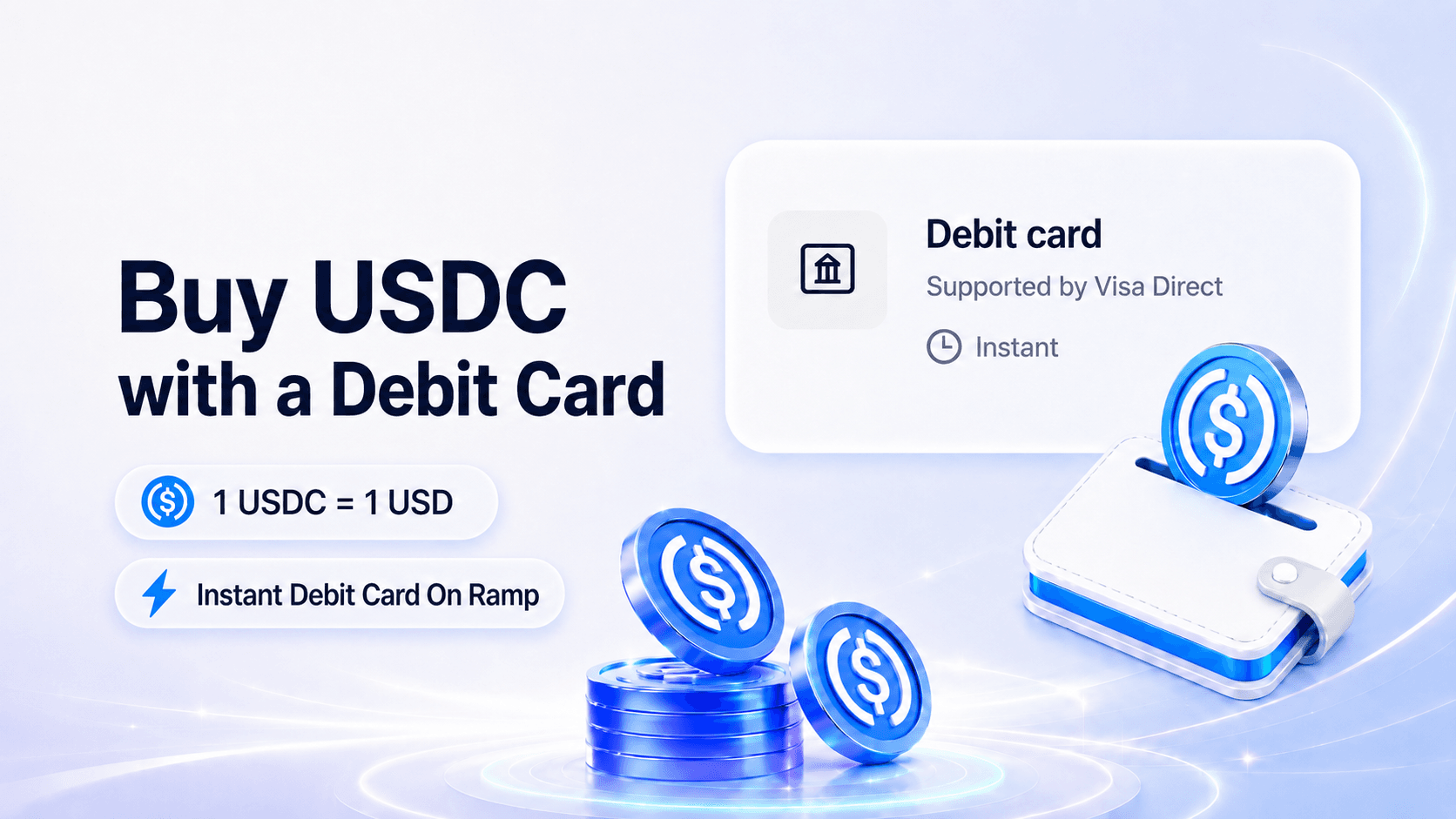
Moving funds between fiat currency and digital assets is now more streamlined than ever. Powered by Visa Direct, OwlPay Wallet Pro enables seamless debit card on/off-ramping, allowing users to buy USDC and off-ramp back to fiat using eligible cards.
Instead of going through a traditional crypto exchange or setting up a brand-new account, users can simply use an eligible debit card already in their wallet (such as a Visa or Mastercard) to access USDC directly in OwlPay Wallet Pro. While this seamless payment rail supports both depositing and withdrawing, this guide (Part 1) will focus exclusively on the step-by-step on-ramp process to help you get started safely.
Understanding Crypto On-Ramps and Off-Ramps
In the digital asset ecosystem, an on-ramp acts as a bridge that allows you to convert traditional fiat currency (like US Dollars) into cryptocurrency, effectively letting you "ramp on" to the blockchain. Conversely, an off-ramp reverses this process, allowing you to sell your crypto assets and exit back into fiat currency, routing the funds directly to a traditional bank account or debit card. Together, these tools form the essential gateway for fluid capital movement between conventional finance and Web3.
Technical Prerequisites and Transaction Limits
Before initiating a transaction, ensure your account meets the standard operational requirements:
- Identity Verification: Because this payment pathway directly handles fiat currency, users must complete standard identity verification (KYC) within the app prior to their first deposit.
- Minimum Transaction Amount: The minimum threshold for debit card transactions is 25 USD.
Supported Assets and Networks: This feature natively deposits and withdraws USDC settled on seven major blockchain networks, including Stellar, Ethereum, Polygon, Avalanche, Arbitrum, Optimism, and Solana.
👇 Ready to start your first debit card on-ramp with OwlPay Wallet Pro?

Part 1: How to Link a New Debit Card to Your Wallet
If you are using the debit card payment rail for the first time, you must securely register your card details within the app. This setup process only needs to be completed once.
Step 1: Navigate to the Deposit Screen
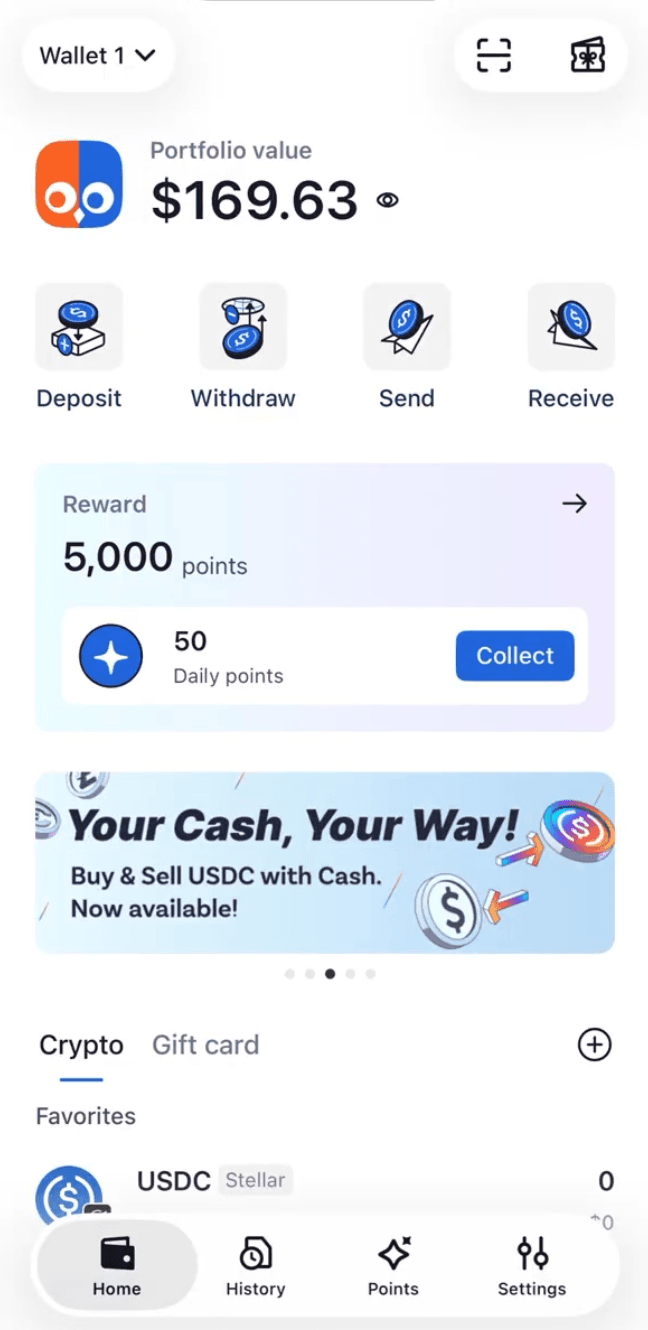
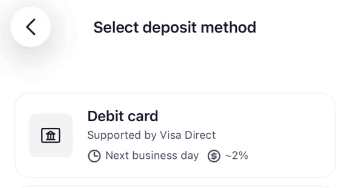
Open the OwlPay Wallet Pro application and tap the Deposit action button on the primary dashboard. From the menu of available deposit methods, select Debit card. The application interface will display the corresponding network fee percentages and estimated processing times.
Step 2: Input the Target Fiat Amount
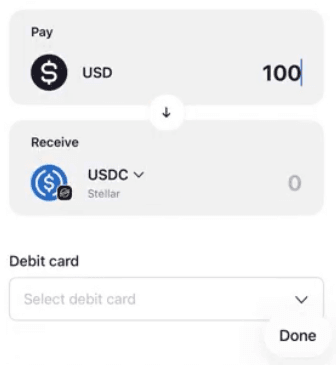
Enter the amount of fiat currency you wish to convert in the Pay (USD) field. The interface features a real-time conversion engine that automatically populates the Receive (USDC) field, allowing you to view the exact amount of crypto assets you will receive before continuing. Once the amount is set, tap the Debit card selection field.
Step 3: Provide Billing and Card Information
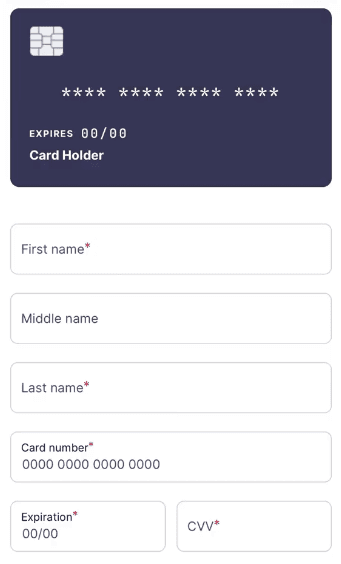
Tap the Add button to initialize the card registration form. Enter the billing information precisely as it appears on your bank statements:
- First Name and Last Name: The legal name registered to the account.
- Card Number: The 16-digit number on the front of the debit card.
- Expiration Date: The card expiration month and year (MM/YY).
- CVV: The 3-digit card verification value located on the signature strip.
- Zip Code: A valid US billing postal code for address verification system (AVS) checks.
Verify the accuracy of all data fields, then tap Register.
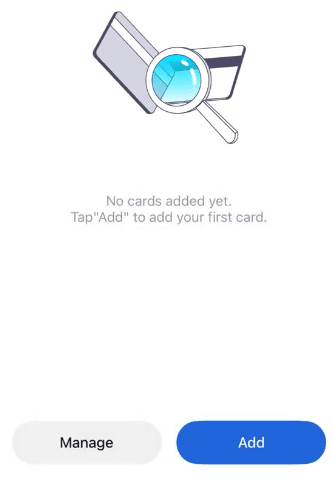
Step 4: Confirm Successful Registration
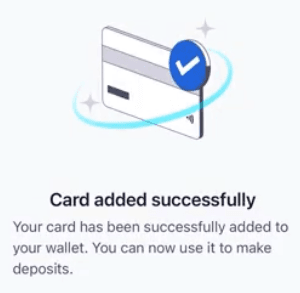
The system will process the data and display a confirmation message indicating the card has been successfully added.
Part 2: Completing a USDC Deposit Transaction
Once a valid debit card is linked to your account, you can buy USDC securely with just a few taps.
Step 1: Select the Registered Card
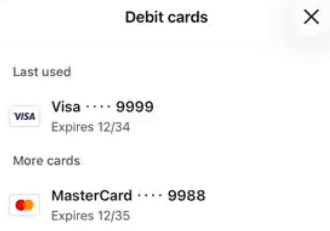
Return to the main deposit interface, define your transaction volume, and open the debit card menu. Select your saved card from the list.
Step 2: Perform a Final Transaction Review
Tap Continue to proceed to the transaction review screen. It is critical to carefully review the complete breakdown of the transfer before authorization:
- You Pay: The total gross fiat amount that will be debited from your bank account.
- Network & Address: The destination blockchain architecture and the precise public wallet address receiving the funds.
- Service Fee: The transparent processing fee deducted by the system.
- You Receive: The net volume of USDC that will land in your digital asset balance.
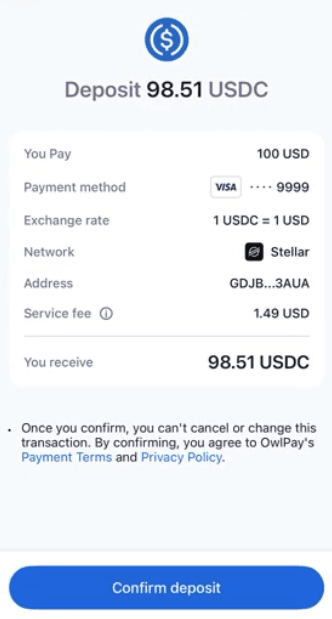
Step 3: Authorize via Biometric Authentication
If all summary details are correct, tap Confirm deposit at the bottom of the interface. The application will trigger your mobile device's secure enclave to prompt biometric verification. Complete the transaction by scanning your face via Face ID or entering your secure device passcode.
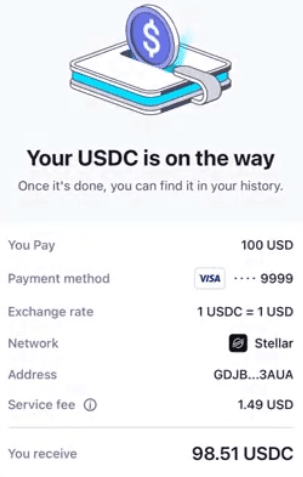
Step 4: Verify Wallet Balances and Ledger History
To monitor the status of your deposit, tap View history to open the ledger entries, where the transaction will update to a successful state once finalized on-chain.
Exploring More Funding Options: What is Next?
For crypto newcomers, using a debit card is widely considered the most straightforward and intuitive way to buy USDC without navigating complex exchange order books. However, OwlPay Wallet Pro is built to scale with your financial preferences, offering a wide array of alternative deposit methods to suit your needs. Depending on your timeline and fee preferences, you can also leverage Bank Transfers (ACH), traditional Bank Wires, instant Credit Card purchases powered by MoonPay, or even Cash deposits at participating physical locations via MoneyGram.
Beyond funding your account, OwlPay Wallet Pro unlocks real-world utility for your digital assets. You can directly redeem your USDC for discounted gift cards, letting you save on everyday essentials like your morning coffee, daily meals, and rides. Managing and spending your global assets has never been more flexible and rewarding.
FAQ
Can I buy USDC with a debit card?
Yes, you can buy USDC directly with a debit card through OwlPay Wallet Pro. Our secure gateway allows you to use an eligible Visa or Mastercard already in your wallet. Just ensure your account has completed the required identity verification (KYC) to start your first deposit safely.
What is the easiest way to buy USDC for beginners?
The easiest way to buy USDC for beginners is using a debit card on-ramp. This method feels identical to a standard e-commerce checkout and allows newcomers to purchase crypto directly inside their digital wallet without needing to understand complex crypto exchange order books.
What is the difference between a crypto on-ramp and an off-ramp?
A crypto on-ramp is a service that allows you to exchange traditional fiat currency (like USD) for digital assets (like USDC). A crypto off-ramp is the reverse process, enabling you to sell your cryptocurrency and withdraw the equivalent value back into traditional fiat currency or a bank card.
Can I use payment methods other than a debit card to buy USDC?
Yes, modern digital wallets support multiple funding avenues. Beyond debit cards, you can fund your account using alternative methods such as Bank Transfers (ACH), Bank Wires, Credit Cards via third-party providers like MoonPay, or physical cash deposits via MoneyGram.
Looking to Fully Automate Your Crypto Payments?
If manually topping up your funds feels like a bottleneck for your digital workflows, it is time to take efficiency to the next level. OwlPay Wallet Pro works hand-in-hand with the OwlPay Agent Wallet—a specialized solution designed specifically for autonomous AI agents. By integrating OwlPay Agent Wallet into your AI ecosystem, you can authorize your AI Agents to autonomously buy USDC, monitor balances, and execute top-ups on your behalf based on smart, predefined rules. Whether you are running complex blockchain automations or delegating micro-payments to an AI assistant, OwlPay bridges the gap between manual asset management and next-generation, automated finance.
(For technical troubleshooting or enterprise inquiries, contact the dedicated global operations team at owlpaysupport@owlting.com.)
💡 Looking to bring automated finance into your AI agent workflows?

Related Articles
- Buy and Sell USDC with a Debit Card in OwlPay Wallet Pro
- AI Agent Wallets Explained: The Complete 2026 Guide
- OwlPay Agent Wallet Tutorial: Step-by-Step Setup Guide
- USDC On Ramp and Off Ramp: How to Cash In and Cash Out
- New Feature: Send to Fiat, Even Without Gas | OwlPay Wallet Pro